



Insta360 Ace Pro & Ace Vertical-Horizontal Mount
- Mount both vertically and horizontally to capture in full 9:16 or 16:9 footage.
- Stable and secure, easy to dismount.
- All-aluminum alloy body and only weighs 28g.
- Charging port and microphones remain easily accessed when using this mount.
Vertical-Horizontal Mount
Unlock mounting freedom.

Switch it up.
Easily switch between portrait and landscape shots and capture in full 9:16 or 16:9 footage.

Stable and secure, easy to dismount.
Quickly change between shooting orientations with the two quick-release mount ports.

Lightweight and portable.
The all-aluminum alloy body weighs only 28g (0.98 oz), allowing creators to change shooting orientation without dismounting the camera.

Fully accessible.
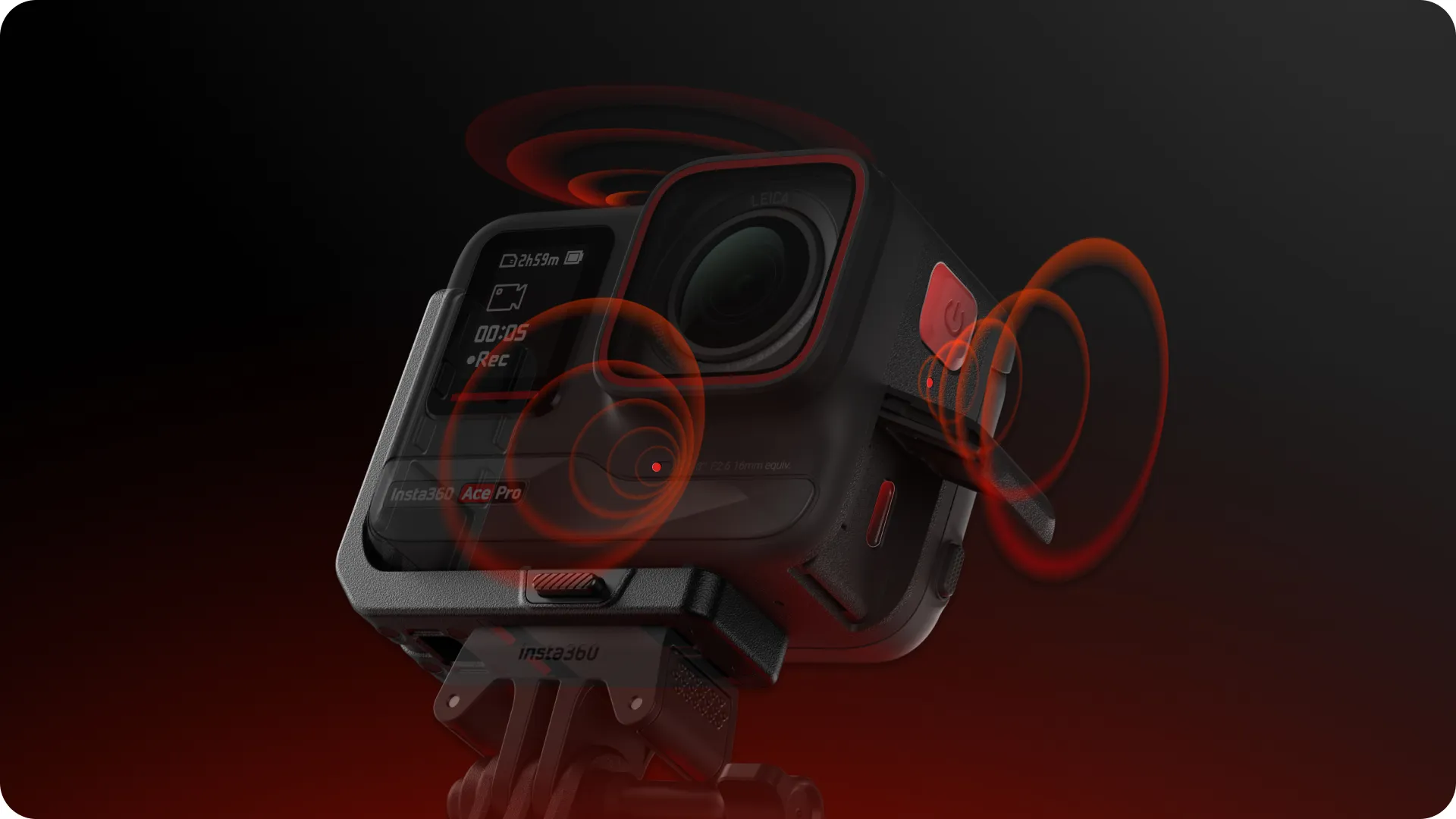
The charging port and microphones are fully accessible when mounted on the battery side.
Specs
Weight: 28g (0.98oz)
Size: 61.6×50.3×24.3mm (2.42×1.98×0.95in)
How to Use
Installation :
1. Align the Vertical-Horizontal Mount and the metal slots on the bottom of the camera. Press the Vertical-Horizontal Mount against the camera until you hear it click. Then, gently pull the mount away from the camera to ensure it cannot be detached and is successfully installed.
2. Install the Insta360 Standard Mount on one of the two ports of the Vertical-Horizontal Mount, then connect it with accessories such as a selfie stick for horizontal or vertical shooting.
3. To uninstall, press and hold the two buttons on the Vertical-Horizontal Mount to detach the camera.
Notes:
- When connecting Vertical-Horizontal Mount to other accessories, ensure the camera is secure, as to avoid damage to the accessories and the camera.
- When using the Vertical-Horizontal Mount with a camera in high-intensity action environments, it is recommended to protect the camera to prevent accidental falls or damage.


![[Clearance] Fujifilm MHG-XT3 Grip (ประกัน 2เดือน)](https://www.zoomcamera.net/wp-content/uploads/2019/02/Fujifilm-MHG-XT3-Grip-Thai-1-200x200.jpg)


![[Clearance] H&Y Swift 100x150mm Soft GND 0.6 Filter (2 Stops) (KS06)](https://www.zoomcamera.net/wp-content/uploads/2019/08/HY-K-Series-100x150mm-KS09-Soft-GND-0.9-Filter-3-Stops-w-Magnetic-Frame-1-1-200x200.jpg)
There are no reviews yet.