

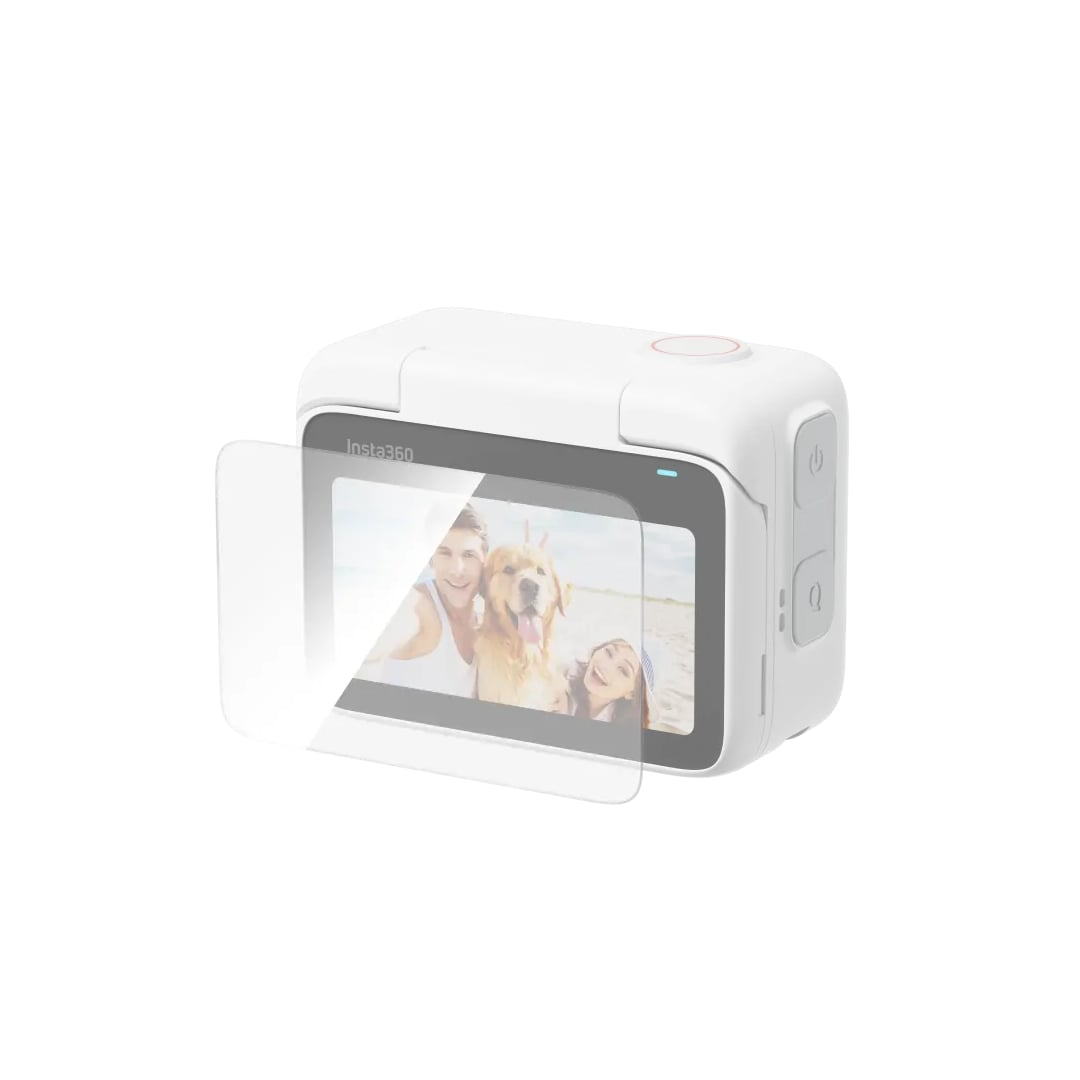




Insta360 Screen Protector for GO 3


In the Box
- 2x Screen Protector
- 1x Film Removal Stick
- 1x Protector Application Kit
*Protector Application Kit contains: 2x Screen Cloth, 2x Dust Removal Sticker, 2x Screen Cleaning Wipe.
Specs
- Size: 56.3x36mm (2.2×1.4in)
- Thickness: 0.37mm (0.01in)
Installation
- Clean the screen: Clean the Action Pod screen using the screen cleaning wipe and screen cloth. Use the dust removal sticker to ensure the screen is clear from dirt.
- Apply screen protector: Remove the film from the screen protector. Position the screen protector over the screen. Slowly apply the protector until the screen is covered.
- Remove air bubbles: Scrape air bubbles from the middle of the screen outward, then press hard to both sides until air bubbles are completely removed.
- Remove the remaining film from the screen protector.
*Notes:
- Do not reinstall the same screen protector. Any dust that has collected on the screen protector may cause air bubbles and reduce adhesiveness.
- If the screen protector moves during installation, use the film removal stick to remove the screen protector and repeat the steps above. Do not completely remove the installed screen protector.

![[Clearance] Meike Auto Extension Tube (A) Set (3pcs) for Nikon, metal mount](https://www.zoomcamera.net/wp-content/uploads/2019/01/Meike-Auto-Extension-Tube-A-Set-3pcs-for-Canon-metal-mount-02-200x200.jpg)
![[Clearance] Miggo Pictar One Mark II (PT-ONE-BS-32) SmartPhone Camera Grip](https://www.zoomcamera.net/wp-content/uploads/2019/01/Miggo-Pictar-One-Mark-II-PT-ONE-BS-32-SmartPhone-Camera-Grip-1-200x200.jpg)


There are no reviews yet.